
Adobe Document Creation and Management using Adobe Acrobat Pro : ACA_801V

- Exam Code: Adobe
- Exam Name: Document Creation and Management using Adobe Acrobat Pro
- Updated: Nov 24, 2026
- Q & A: 0 Questions and Answers
We are already working hard to make ACA_801V exam material available to our valued customers. If you are interested in ACA_801V exam material, provide us your email and we will notify you.
About Adobe Document Creation and Management using Adobe Acrobat Pro : Adobe Exam
Exam content moves, and preparation that stands still falls behind. DumpsTests keeps its Adobe Document Creation and Management using Adobe Acrobat Pro practice questions continuously updated, with 365 days of free updates for every 2026 purchase.
Adobe ACA_801V Exam Syllabus Topics:
| Section | Objectives |
|---|---|
| Topic 1: Working in Document Management | - Communicate with colleagues and clients about document development
|
| Topic 2: Creating and Organizing PDFs | - Organize PDF pages and documents
|
| Topic 3: Protecting, Standardizing, and Exporting PDFs | - Standardize and optimize PDFs
|
| Topic 4: Editing PDFs | - Edit PDF content
|
| Topic 5: Acrobat Workspace | - Navigate the Acrobat Pro interface
|
| Topic 6: Sharing and Reviewing PDFs | - Comment on and review documents
|
Adobe ACA_801V Exam: Your Questions, Straight Answers
Adobe Document Creation and Management using Adobe Acrobat Pro is an official Adobe exam, catalogued under the code ACA_801V. Passing it earns you the Adobe Certification certification at the Professional (entry-level) level. It also connects with Adobe Certified Professional in Document Creation and Management Using Adobe Acrobat Pro. The credential carries the vendor's authority, which is why it keeps opening doors for the people who hold it.
Yes, and for every version. DumpsTests provides free demos of the Adobe Document Creation and Management using Adobe Acrobat Pro material so you can compare the PDF, SOFT, and online formats before deciding. After purchase, updates are free for 365 days, and when your product expires you can extend the update service at a 50% discount.
Adobe Document Creation and Management using Adobe Acrobat Pro gives you Not officially verified; includes selected-response questions and live-in-the-application tasks questions inside 50 minutes. Rather than cramming mechanically, rehearse the pace actively: the DumpsTests SOFT engine teaches through timed exercises, so flagging, skipping, and returning become reflexes before exam day rather than improvisations during it.
Passing Adobe Document Creation and Management using Adobe Acrobat Pro requires Not officially verified, and official registration costs Varies by country, testing center, and exam provider; check the official Certiport exam registration channel. Since every retake bills the full Varies by country, testing center, and exam provider; check the official Certiport exam registration channel again, the sensible sequence is practice first, book second. When your DumpsTests practice scores clear the requirement across repeated sessions, the exam stops being a gamble.
No mandatory prerequisite examination officially verified. The published exam objectives describe a target candidate with approximately 150 hours of instruction and hands-on experience with Adobe Acrobat Pro.
Vendor rules change over time, so confirm the current conditions before registering on the official exam page.
A 100% money-back guarantee covers you under stated conditions. Take the Adobe Document Creation and Management using Adobe Acrobat Pro exam within 60 days of purchase; if you fail, you may claim a full refund, provided the exam matches your product. Attempts within 3 days of purchase are ineligible, as are downloaded-but-unused products, free materials, and expired orders; the candidate name must match the payer name. Submit a scanned enrollment slip and the official Score Report PDF within 2 days of the exam, and claims are processed within 7 days. You may instead exchange for two other exam products of equal value, free, keeping the update service on your original purchase.
Delivery is safe and fast: payment runs through a secure environment, files unlock for download at once, and everything is emailed to you within one minute. If nothing arrives within 2 hours, check spam and consult our online service. Installation is unlimited across your computers.
Adobe Document Creation and Management using Adobe Acrobat Pro is divided into 6 official domains, led by Protecting, Standardizing, and Exporting PDFs, Acrobat Workspace, and Sharing and Reviewing PDFs. The complete breakdown is above on this page; candidates who study the syllabus first waste the least time later.
Related Exam
- Graphic Design & Illustration using Adobe Illustrator 2024 (v 28.x) Dumps Tests
- Numbers End User Exam Dumps Tests
- Adobe Dreamweaver CC 2015 ACE Dumps Tests
- Visual Effects & Motion Graphics using Adobe After Effects 2026 (v 26.x) Dumps Tests
- Keynote End User Exam Dumps Tests
- Visual Design using Adobe Photoshop 2025 (v 26.x) Dumps Tests
- Adobe InDesign CC 2015 ACE Dumps Tests
- Product and Experience Design with AI Using Adobe Firefly Dumps Tests
- Graphic Design & Illustration using Adobe Illustrator 2025 (v 29.x) Dumps Tests
- Content Creation and Marketing Using Adobe Express Dumps Tests
Related Certifications
Over 59733+ Satisfied Customers
What Clients Say About Us
Quality and Value
DumpsTests Practice Exams are written to the highest standards of technical accuracy, using only certified subject matter experts and published authors for development - no all study materials.
Tested and Approved
We are committed to the process of vendor and third party approvals. We believe professionals and executives alike deserve the confidence of quality coverage these authorizations provide.
Easy to Pass
If you prepare for the exams using our DumpsTests testing engine, It is easy to succeed for all certifications in the first attempt. You don't have to deal with all dumps or any free torrent / rapidshare all stuff.
Try Before Buy
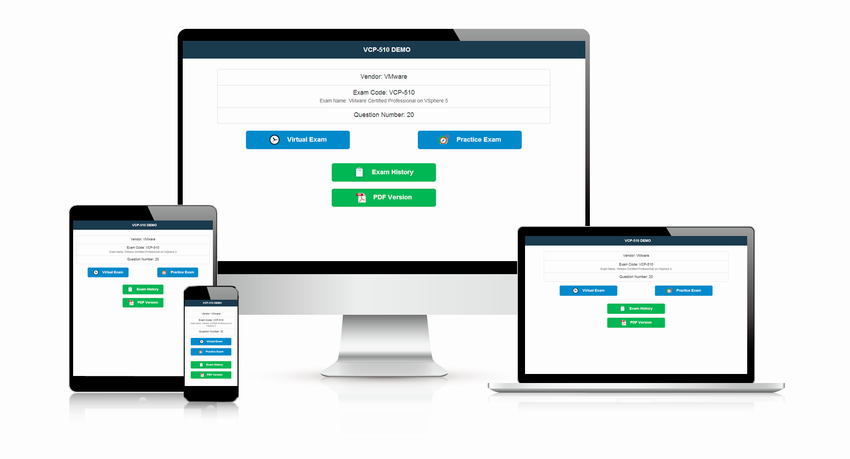
DumpsTests offers free demo of each product. You can check out the interface, question quality and usability of our practice exams before you decide to buy.












Use our training practice dumps with real exam questions & answers. Freely download the valid test study torrent, and start your preparation with no time wasted. 100% pass guaranteed is our promise. No help, full refund.